Best Android Auto Entertainment Apps in 2026
Quick answer: The best Android Auto entertainment apps depend on what your car is doing. While you drive, use audio apps like Spotify, Pocket Casts and Audible. When parked or charging, native YouTube and games work in supported cars. For passengers watching while moving, or with no signal, use Fermata Auto through AAAD, with no root. Last Updated November 2026 Android Auto handles music, podcasts and audiobooks well out of the box. Spotify, YouTube Music and Poweramp all work natively
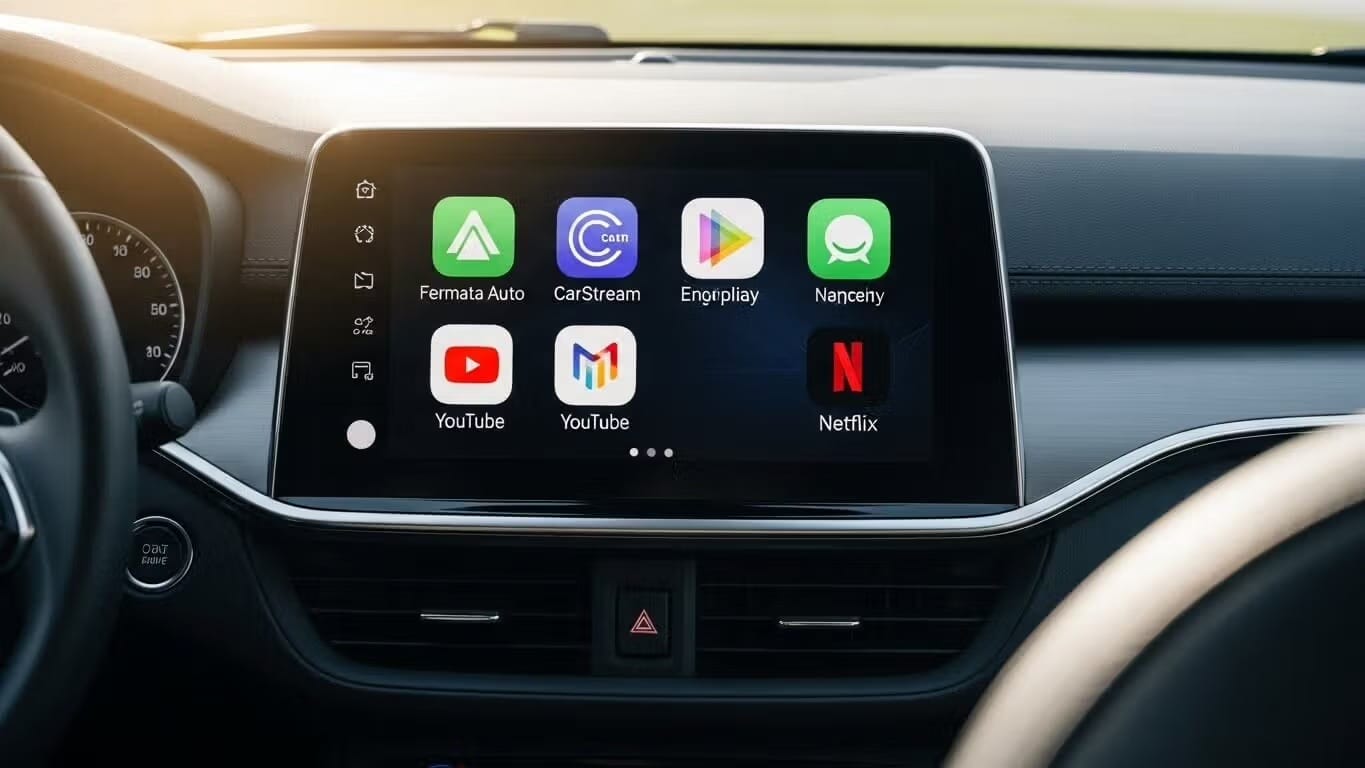
Quick answer: The best Android Auto entertainment apps depend on what your car is doing. While you drive, use audio apps like Spotify, Pocket Casts and Audible. When parked or charging, native YouTube and games work in supported cars. For passengers watching while moving, or with no signal, use Fermata Auto through AAAD, with no root.
Last Updated November 2026
Android Auto handles music, podcasts and audiobooks well out of the box. Spotify, YouTube Music and Poweramp all work natively, respond to voice commands, and need nothing beyond the Play Store.
Want video for passengers too? AAAD installs Fermata Auto, CarStream and Screen2Auto on Android Auto in a few taps, with no root and no PC.
Video is a different story. In August 2026 Google began rolling out native YouTube on Android Auto, but video plays only when the car is parked. Once the car moves, it switches to audio only. Netflix has been announced but is not live yet. For passengers on long drives, that limit kills the experience.
This guide sorts Android Auto entertainment by situation: driving, a passenger watching while the car moves, parked, charging an EV, and road trips with no signal. For each one you'll see whether an official Play Store app is enough, or whether you need a third-party app installed through AAAD (Android Auto Apps Downloader). No root or PC is required.
Safety: video while driving is for passengers only. The car screen is usually in the driver's line of sight, so check the law where you drive before playing video while the car is moving.
If you came for video apps, jump to the video section below or read the full Android Auto video apps guide.
Which Android Auto Entertainment Apps Work While Driving, Parked or Offline?
What you can use on Android Auto depends on what the car is doing. Audio apps work in every situation. Official video and games need the car in Park. Video for passengers while moving needs a third-party app through AAAD.
| App | While you drive | Passenger, car moving | Parked or charging | No signal | Needs AAAD |
|---|---|---|---|---|---|
| Spotify | Yes (audio) | Yes (audio) | Yes (audio) | Podcasts free, music with Premium | No |
| YouTube Music | Yes (audio) | Yes (audio) | Yes (audio) | Podcasts free, music with Premium | No |
| Poweramp / Musicolet | Yes (audio) | Yes (audio) | Yes (audio) | Yes, files on your phone | No |
| Pocket Casts | Yes (audio) | Yes (audio) | Yes (audio) | Downloaded episodes | No |
| Audible | Yes (audio) | Yes (audio) | Yes (audio) | Downloaded books | No |
| YouTube (official) | Audio only, Premium | Audio only, Premium | Video in supported cars | No | No |
| Games (Play while parked) | No | No | Yes, in Park | Not covered | No |
| Fermata Auto | No, passengers only | Yes | Yes | Yes, video files on your phone | Yes |
| CarStream | No, passengers only | Yes, Android 15 and older | Yes, Android 15 and older | No | Yes |
| Screen2Auto / AA Mirror Plus | No, passengers only | Yes | Yes | Depends on the mirrored app | Yes |
Apps marked "Requires AAAD" are not available on the Google Play Store. Download AAAD to install them — no root or developer options needed.
What Can You Listen To on Android Auto While You Drive?
While you drive, stick to audio. Every app below is on the Play Store, works with Android Auto's standard media screen and voice commands, and needs no AAAD.
Spotify
Spotify is the easiest default for streaming music on Android Auto. It uses Android Auto's standard media screen, with large controls and Google Assistant voice commands.
Best feature: Spotify Jam lets passengers add songs to a shared queue in real time, which makes road trips more social.
YouTube Music
If you love deep cuts, live performances or remixes that aren't on other platforms, YouTube Music is the better pick. Its Explore tab is useful for finding new releases and moods.
Poweramp
For people who prefer owning their music files (MP3, FLAC and similar) rather than streaming, Poweramp is the go-to player. It has a strong equalizer for bass and treble and supports high-fidelity formats. It is a strong pick for getting the most out of your car's sound system with local files. The full version is a one-time paid unlock after a free trial.
Musicolet
If you want a completely free, ad-free offline player, Musicolet is the top recommendation. It supports multiple queues and handles folder structures well, which suits classical music fans and anyone who organizes their library by hand.
Pocket Casts
For spoken word, Pocket Casts is the best player for most people. It includes Trim Silence (to shorten episodes) and Volume Boost (to make voices clearer over road noise), both free on Android.
Audible
For audiobooks, Audible plays downloaded titles offline and works with Android Auto's media controls. Download books on Wi-Fi before a long trip so playback does not depend on mobile signal.
What Can Passengers Watch on Android Auto While the Car Is Moving?
Official Play Store apps cannot play video while the car is moving. That is Google's design. Passengers can still watch video on the move with third-party apps installed through AAAD: Fermata Auto, CarStream on Android 15 and older, or a screen mirroring app such as Screen2Auto or AA Mirror Plus. No root or PC is needed.
- Fermata Auto: plays local videos, folders and IPTV streams. Works on Android 16.
- CarStream: a dedicated YouTube player with a simple layout. Supports Android 15 and older only.
- Screen2Auto and AA Mirror Plus: mirror the whole phone screen, so passengers can use video apps that have no Android Auto version.
Safety: video while moving is for passengers only. The car screen is usually in the driver's line of sight, so check the law where you drive before playing video while the car is moving.
For install steps and a full comparison, see the Android Auto video apps guide. Before you install anything on Android 16, check the Android 16 compatibility table. For every app AAAD can install, see the full list of Android Auto apps not on the Play Store.
Install AAAD to add these apps without root or developer settings. The free tier allows one app download every 30 days, and AAAD Pro removes that limit.
What Works on Android Auto When the Car Is Parked?
When the car is parked, you can watch native YouTube in supported cars and play games from Google Play's "Play while parked" collection. Netflix has been announced for Android Auto but is not live yet. These features are parked only by Google's design.
Native YouTube
Google announced video apps for Android Auto in May 2025 and began rolling out native YouTube in August 2026, at up to 1080p. Video plays only while the car is parked or charging. When the car moves, it switches to audio only, and background audio needs YouTube Premium.
The rollout goes carmaker by carmaker. Early brands include BMW, Ford, Genesis, Hyundai, Kia, Mercedes-Benz, Renault, Škoda and Volvo. Full support may also need Android 16 or newer on your phone. Learn more in our guide to watch YouTube on Android Auto.
Games while parked
Google Play has a "Play while parked" collection with games such as Angry Birds, Candy Crush Soda Saga and Beach Buggy Racing. Install them on your phone (Android 15 or newer) and they appear in the Android Auto app drawer. They work only while the car is in Park. When the car moves, they stay in the drawer but are blacked out.
When you still need AAAD while parked
AAAD is still useful when parked if:
- native YouTube hasn't reached your car or phone yet
- you want local video files or IPTV in Fermata Auto
- you want Netflix now, by mirroring your phone screen with Screen2Auto or AA Mirror Plus
See Netflix on Android Auto for the current options.
What Can You Do on Android Auto While Your EV Charges?
Android Auto treats a charging car like a parked one for video. That means you can watch native YouTube if your car supports it, play "Play while parked" games when the car is in Park, or let passengers watch downloaded videos in Fermata Auto.
Charging stop checklist:
- Check whether your car brand supports native YouTube on Android Auto yet.
- Download videos to your phone before you leave, so Fermata Auto can play them without signal.
- Install a "Play while parked" game in advance, on a phone running Android 15 or newer. Games need the car in Park.
- Queue a podcast or audiobook so you can keep listening when you drive off.
Safety: video and games work only while the car is stopped. Once you drive off, Android Auto switches back to audio. Video while moving is for passengers only.
How Do You Set Up Android Auto Entertainment for a Road Trip With No Signal?
Download everything before you leave. Spotify and YouTube Music need Premium for offline music but save podcasts free. Poweramp and Musicolet play files already on your phone. Pocket Casts and Audible save episodes and books, and Fermata Auto plays downloaded videos for passengers.
| App | What you can save offline | Needs a paid plan? | Before you leave |
|---|---|---|---|
| Spotify | Podcasts (free), music (Premium) | Music only | Go online once every 30 days |
| YouTube Music | Podcasts (free), music (Premium) | Music only | Smart Downloads saves up to 200 recent songs |
| Poweramp / Musicolet | Music files on your phone | No | Copy files to the phone first |
| Audible | Audiobooks | Audible membership or purchase | Download books on Wi-Fi |
| Fermata Auto (via AAAD) | Video files on your phone, for passengers | No | Copy videos to the phone first |
The night before:
- Connect to Wi-Fi and check your phone has enough free storage.
- Download playlists in Spotify Premium or YouTube Music Premium. YouTube Music's Smart Downloads can also save up to 200 recently played songs.
- Copy MP3 or FLAC files to your phone for Poweramp or Musicolet.
- Download podcast episodes in Pocket Casts and books in Audible.
- Copy video files to your phone for passengers to watch in Fermata Auto. See how to use Fermata Auto to organise folders.
- If your music downloads are close to 30 days old, open Spotify and YouTube Music online once so they stay valid.
Which Android Auto Entertainment App Should I Choose?
- I just want music while driving: use Spotify or YouTube Music from the Play Store. No AAAD needed. Both work natively with voice commands.
- I want to play music files stored on my phone: use Poweramp (paid, with an equalizer) or Musicolet (free, no ads). Neither needs AAAD.
- I want podcasts: use Pocket Casts. Native Android Auto support, with Trim Silence and Volume Boost included.
- I want audiobooks: use Audible. No AAAD needed.
- I'm parked and want to watch YouTube: try native YouTube first if your car supports it. No AAAD needed. If it isn't available yet, use Fermata Auto via AAAD.
- I want to watch YouTube while driving (for passengers): use Fermata Auto via AAAD. CarStream also works on Android 15 and older. Compare them in CarStream vs Fermata Auto.
- I want to play videos stored on my phone or stream live TV: install Fermata Auto via AAAD. See how to use Fermata Auto for setup.
- I want an app that has no Android Auto version: install Screen2Auto via AAAD for full phone screen mirroring.
- I want Netflix: official Netflix is not live on Android Auto yet. See Netflix on Android Auto for what works now.
- I'm charging my EV: native YouTube or a Play while parked game, if your car supports them. Downloaded videos in Fermata Auto otherwise. See the EV charging section.
- I'm driving somewhere with no signal: download before you leave. See the road trip checklist.
- I'm on Android 16 or 17: check the compatibility table before installing anything.
Frequently Asked Questions
Can I watch Netflix or YouTube while driving?
Not with the official apps. Native YouTube on Android Auto plays video only when the car is parked, in supported cars, and switches to audio when you drive. Passengers can watch video while moving with Fermata Auto installed through AAAD. Always follow local traffic laws. Video is for passengers only.
Why don't my apps show up on the car screen?
Open Android Auto settings on your phone, go to Customize launcher, and make sure the app is ticked. For AAAD apps, confirm the install finished inside the AAAD app. If the app is still missing, follow our guide to fix Android Auto apps not showing.
Do I need to root my phone to use AAAD?
No. AAAD installs apps like Fermata Auto, CarStream and Screen2Auto on standard, non-rooted Android phones. You do not need a PC or developer options either.
My Android Auto connection is unstable. How do I fix it?
Start with the cable. Use a short, good-quality USB data cable, not a charge-only cable. Then clear Android Auto's cache: phone Settings, Apps, Android Auto, Storage, Clear cache. If it still drops, see our Android Auto not connecting guide.
What is the difference between YouTube Music and YouTube on Android Auto?
YouTube Music is an audio app for songs, albums and playlists, and it works while you drive. YouTube is the video app. Its native Android Auto version plays video only when parked. For YouTube video while moving, passengers can use Fermata Auto through AAAD.
Can I watch Netflix on Android Auto?
Google has announced Netflix for Android Auto, and like YouTube it plays video only when the car is parked. If Netflix is not available in your car, passengers can mirror the phone screen with Screen2Auto or AA Mirror Plus through AAAD. See Netflix on Android Auto for the current options.
Do AAAD apps work on Android 14, 15 and 16?
It depends on the app. Fermata Auto and AA Mirror Plus work on Android 14, 15 and 16. Support changes with Android and Android Auto updates, so check the compatibility table for each app before installing.
Which is better for YouTube, CarStream or Fermata Auto?
CarStream is a dedicated YouTube player and is simpler to use on Android 15 and older. Fermata Auto also plays local videos and IPTV, and it works on Android 16. If you are on Android 16, choose Fermata Auto. Full comparison: CarStream vs Fermata Auto.
Can I play games on Android Auto?
Yes, but only when the car is parked. Google Play's "Play while parked" collection includes Angry Birds, Candy Crush Soda Saga and Beach Buggy Racing. Install them on a phone running Android 15 or newer. They appear in the Android Auto app drawer but are blacked out once the car moves.
Can I watch YouTube on Android Auto while my EV is charging?
Yes, if your car supports native YouTube on Android Auto. Android Auto treats charging like parked, so video plays while you charge and switches to audio when you drive. Early brands include BMW, Ford, Hyundai, Kia and Mercedes-Benz. If your car isn't supported yet, passengers can watch downloaded videos in Fermata Auto through AAAD.

Unlock the Power of Android Auto
Experience full customization. Download the official AAAD downloader and start running custom YouTube, mirror, and media apps in your car today.
Install AAAD Now